How to Play Machine Party
From first launch to your first facility round with friends
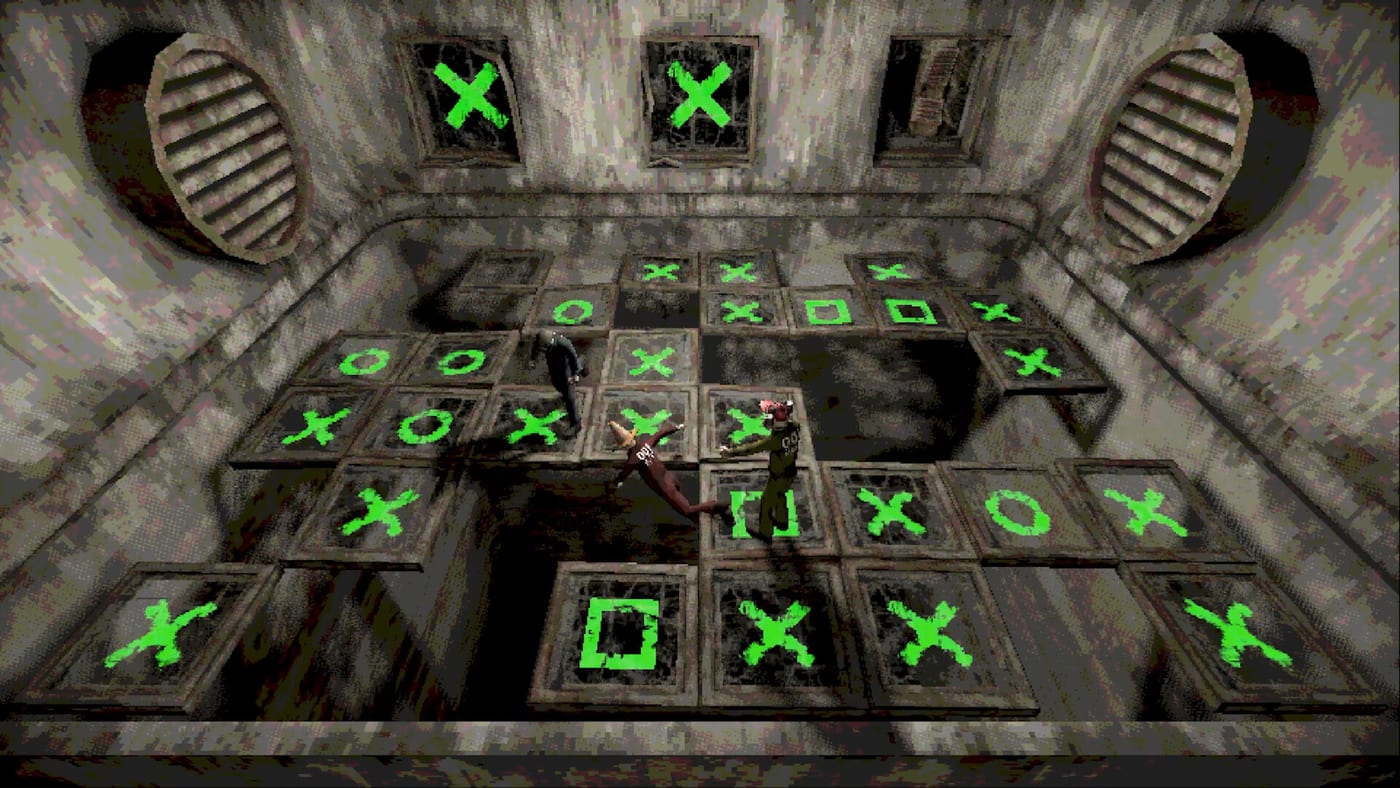
Machine Party is a violent party minigame collection built for quick sessions with friends. Mike Klubnika and GDeavid developed it for Oro Interactive, and it launched on Steam (app 4108000) on July 30, 2026. You and up to three friends join online co-op as customizable test subjects, then survive a rotating lineup of roughly fifteen industrial-themed challenges. Rounds are short, failure is common, and the game rewards both reflexes and social chaos. This guide explains what happens from the moment you click Play until the facility spits you out laughing.
Before You Launch
Confirm your PC meets the listed specs: Windows 11 minimum (Linux with Vulkan is also supported), 8 GB RAM, a GPU around RX 6500 XT or GTX 1660 level, and about 1 GB of storage. At roughly $7.99, the barrier to entry is low, which is why many groups treat it as a same-night party purchase. Install from Steam, verify controller drivers if you plan pad play—Machine Party advertises full controller support—and skim Controls if you want a binding reference before your first round.
If you are assembling a group, read How to Invite Friends in parallel. Online co-op requires two to four players; solo queue is not the intended experience.
Main Menu and Lobby Flow
After launch, you land on a facility-themed front end. From here you can customize your test subject (How to Customize), adjust audio, and open the multiplayer panel. Host a session or accept an invite through Steam’s overlay. Once the lobby fills, the host picks or confirms the session rules and starts the run.
Lobby time is the calm before chaos. Use it to confirm everyone sees the same player count, test voice chat, and agree on whether sabotage is fair game—see How to Sabotage Friends for the social contract most groups adopt. When ready, the host launches and the minigame carousel begins.
How a Session Is Structured
Machine Party does not play like a linear campaign. A typical evening cycles through multiple minigames back to back. Each challenge has its own objective, timer, and fail state. You might survive a buzz saw room in one round, match shapes under gatling pressure in the next, then compete to eat peas faster than your friends. Trailers show additional modes such as sniper dodge lanes, firearm assembly, minefield crossings, train dodge paths, cigarette speed-smoke trials, steamroller escape, escalator sprint, and rock chiseling.
Most individual minigames take about five minutes across two or three quick internal rounds. A full party that runs all fifteen modes lands near one hour. Lobby hosts can customize the playlist instead of forcing a fully random full run — use that when newcomers need warm-ups before minefields.
Between rounds, the game surfaces scores and often highlights spectacular deaths. Treat every minigame as a fresh ruleset: read the on-screen prompt, identify the win condition, and do not assume the next round rewards the same skill. A player who dominates shape matching may struggle on sniper dodge until they learn telegraph timing.
Core Gameplay Loop
The loop is simple: spawn → read objective → compete or cooperate → score → repeat. Some minigames are purely competitive (pea eating, speed-smoke races). Others mix cooperation with betrayal—escaping a steamroller together until someone blocks a narrow exit. Positioning matters in hazard rooms; if you die early, you still influence the outcome by distracting rivals or clearing space for teammates.
After each minigame, players receive gene mutation points based on performance. That meta-score is the session ledger across the night — details on Scoring and Mutations. Competitive rounds still rank speed, accuracy, or survival inside the mode; mutation points stitch those results into standings. Over a full session, consistency beats one lucky win. Check Minigames for mode-specific notes, Hazard Routes for pathing tips, and Tier List if you want to know which challenges favor practice.
Controller and Input Tips
Full controller support means you can play entirely on a gamepad without handicap for most modes. Sticks handle movement; face buttons interact; triggers often map to grab, use, or sprint depending on the minigame. Remapping lives in Steam Input or in-game options—details on Controls.
Mixed lobby tip: keyboard players sometimes turn faster in sniper dodge, while controller players have an edge on analog movement in train dodge and escalator sprint. Neither dominates every mode, which keeps mixed groups viable.
Headphones help. Train horns, blade wind-ups, and inspection beeps often telegraph before the camera catches up. Keep SFX loud even if you lower the industrial soundtrack.
First-Session Strategy
For your first three minigames, prioritize learning rather than winning:
- Watch the intro camera — Many hazards telegraph direction before they activate.
- Stay center when unsure — Outer lanes attract buzz saws, trains, and sniper lines first.
- Call out roles — Even without voice, ping or text who takes which lane in minefield rounds.
- Do not stack — Clustering makes steamroller and gatling modes lethal for the whole group.
- Save sabotage for round four — Once controls feel natural, add interference from How to Sabotage Friends.
If you keep dying in the same hazard type, switch to Facility Survival Tips and drill one habit per session.
Progression, Achievements, and Customization
Machine Party ships with fifteen Steam achievements. Some unlock from winning specific minigame types; others reward cumulative chaos or survival milestones. You do not need achievement hunting on night one, but knowing they exist helps you notice optional goals mid-round. Full list on Achievements.
Customization unlocks and cosmetic options expand as you play. Visit Customization for the full catalog; the quick version lives in How to Customize.
When Things Go Wrong
Connection drops happen in online co-op. If the host disconnects, pause and re-form the lobby using Steam invites—steps in How to Invite Friends. If a minigame feels unclear, finish the round anyway; many modes teach through failure faster than menu text.
Performance issues on Linux Vulkan setups usually trace to outdated drivers or background capture software. Lower resolution before you lower fun; the art style stays readable at 720p.
Where to Go Next
You now understand lobby flow, session structure, and first-night habits. Branch based on what your group needs:
- How to Invite Friends — reliable 2-4 player setup
- How to Sabotage Friends — intentional griefing that wins rounds
- Facility Survival Tips — stay alive in buzz saw and minefield rooms
- Multiplayer — latency, etiquette, and long-term groups
- Review — whether Machine Party fits your regular rotation
Machine Party succeeds when everyone accepts that dying is part of the joke. Learn the loop, respect the timer, and save your best sabotage for the rounds that matter.
Frequently Asked Questions
Quick answers to the most common questions.
Can you play Machine Party solo?
The game targets online co-op for two to four players. You can explore menus and customization alone, but minigames are designed around multiplayer chaos on [Multiplayer](/multiplayer/).
How long is a full Machine Party session?
A full fifteen-minigame party is about one hour. Individual minigames often take around five minutes across short internal rounds. Hosts can shorten playlists.
What are gene mutation points?
Performance scores awarded after each minigame that form your session standings. See [Scoring and Mutations](/guides/scoring-and-mutations/).
Does Machine Party support controllers on Linux?
Yes. Full controller support applies on supported PC builds including Linux with Vulkan. Verify bindings on [Controls](/controls/) if Steam Input overrides defaults.
How many minigames are in Machine Party?
Expect roughly fifteen distinct challenges at launch, spanning hazard survival, reflex tests, and competitive eating or assembly modes listed on [Minigames](/minigames/).
What should I do after my first win?
Read [How to Sabotage Friends](/guides/how-to-sabotage/) to learn intentional interference, then chase specific goals on [Achievements](/achievements/) once your group stabilizes.
Is Machine Party appropriate for young players?
It is a violent party game with industrial hazards and dark humor. Check Steam age ratings and your group's comfort before inviting younger players.